Introduction
Ransomware protection is an essential part of keeping digital information safe in today’s connected world. Cybercriminals use ransomware to lock files or encrypt important data and demand money to restore access. These attacks can affect individuals, businesses, schools, and large organizations. Proper security measures help reduce the risk of data loss and unexpected financial damage. Understanding ransomware protection allows users to make smarter decisions and build a safer digital environment.
What Is Ransomware Protection?
Ransomware protection refers to the tools, strategies, and security practices used to defend computers, networks, and data against ransomware attacks. It helps identify suspicious activities before malicious software can cause serious harm. Security solutions may include antivirus software, firewalls, email filtering, and advanced threat detection systems. Regular software updates also help close security gaps that attackers might exploit. By combining these measures, individuals and organizations can strengthen their defenses and protect valuable information.
Why Is Ransomware Protection Important?
Ransomware attacks can interrupt daily operations, expose sensitive information, and create significant financial losses. For businesses, an attack may affect customer trust, employee productivity, and important services. Individuals can also lose access to personal documents, photographs, and other valuable files. Effective ransomware protection reduces these risks by preventing common attack methods and improving the ability to respond quickly. A strong security plan helps maintain business continuity and gives users greater confidence when working online.
Common Types of Ransomware Attacks
Ransomware attacks can take different forms depending on the methods used by cybercriminals. Encrypting ransomware makes files inaccessible until the attacker demands payment for a decryption key. Locker ransomware restricts access to a device or its main functions. Some attackers use double extortion, stealing sensitive information before encrypting files and threatening to publish the data. These threats often spread through malicious email attachments, unsafe downloads, compromised websites, or stolen login credentials. Knowing how these attacks work helps users recognize warning signs and choose suitable protection methods.
Best Practices for Ransomware Protection
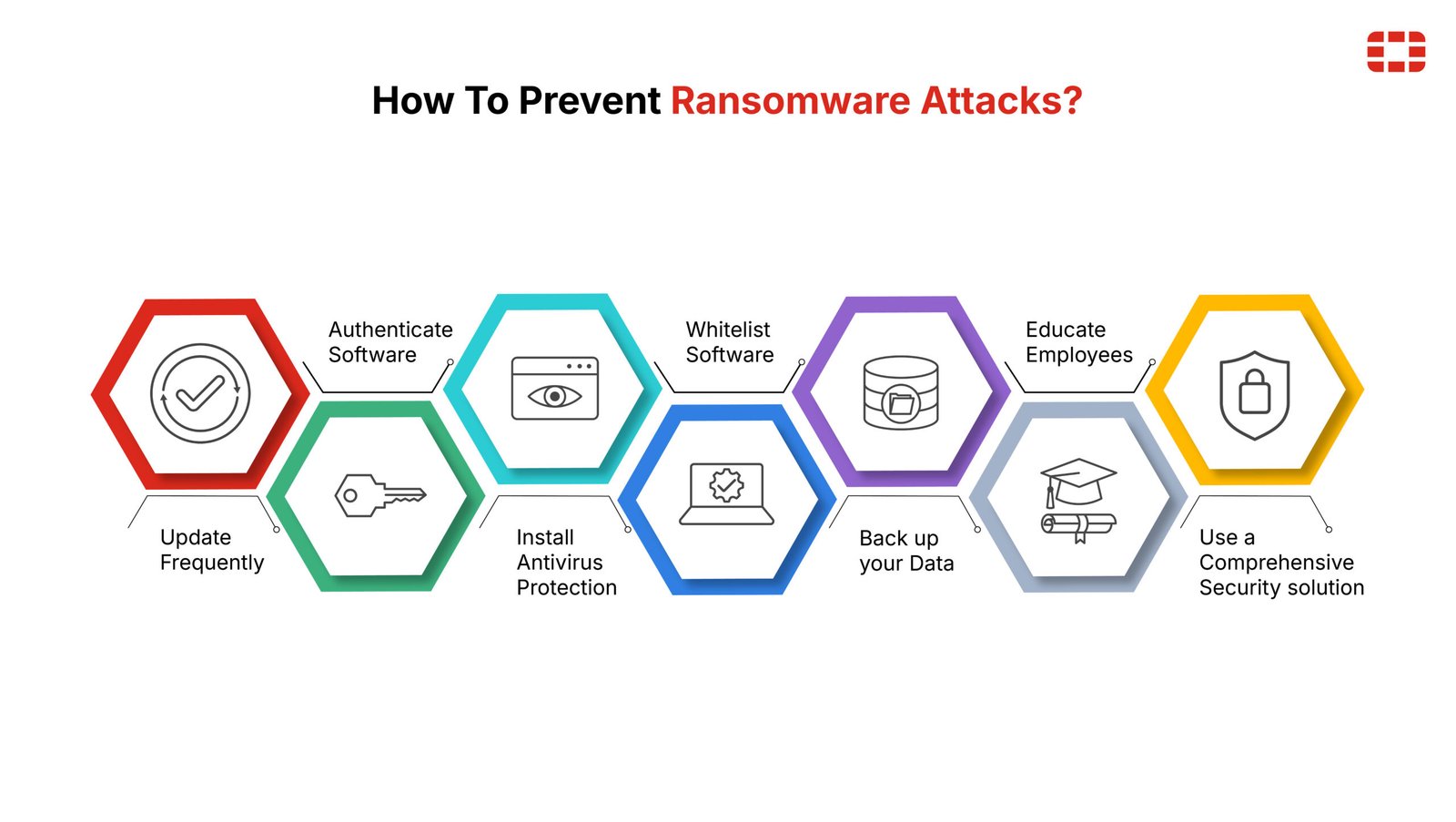
Following basic cybersecurity practices can significantly reduce the chances of a successful ransomware attack. Keep operating systems, applications, and security tools updated to fix known vulnerabilities. Use strong, unique passwords and enable multifactor authentication wherever possible. Avoid opening unexpected attachments or clicking suspicious links, even when messages appear to come from familiar sources. Maintain regular backups of important files and store at least one backup separately from the main network. These practical steps create several layers of defense and make recovery easier if an attack occurs.
Ransomware Protection for Businesses
Businesses need a comprehensive ransomware protection strategy because their systems often contain valuable customer information and operational data. Security teams should monitor networks, restrict unnecessary user permissions, and protect remote access connections. Employee training is equally important because phishing emails remain a common way for attackers to gain entry. Organizations should also test their backup and recovery procedures to ensure that critical systems can be restored when necessary. A documented incident response plan helps employees understand their responsibilities and supports a faster, more organized recovery.
Ransomware Protection Software and Tools
Ransomware protection software helps detect, block, and investigate suspicious behavior that may indicate an attack. Many security products offer real-time monitoring, malicious file detection, web protection, and alerts for unusual changes to files. Endpoint detection and response tools can provide additional visibility across business computers and servers. Firewalls and email security systems help prevent threats from reaching users in the first place. However, no single tool can guarantee complete protection, so software should be combined with secure configurations, regular backups, and user awareness.
What to Do After a Ransomware Attack
If a ransomware attack occurs, acting carefully can limit further damage and support recovery. Disconnect affected devices from wired and wireless networks to help prevent the threat from spreading. Notify the organization’s IT or security team and preserve relevant evidence for investigation. Do not immediately delete suspicious files or reinstall systems before assessing the situation. Restore clean data from verified backups only after the affected environment has been secured. Avoid paying the ransom without expert advice, as payment does not guarantee that files will be restored or stolen information will remain private.
Conclusion
Ransomware protection plays a vital role in maintaining digital safety and preventing costly cyber incidents. Strong security software, regular backups, timely updates, and careful online behavior can reduce exposure to ransomware threats. Businesses should also invest in employee training, network monitoring, and reliable recovery plans. Although no security method can eliminate every risk, a layered approach makes attacks more difficult and recovery more manageable. By taking preventive action today, individuals and organizations can protect their data and build a more resilient digital future.
Frequently Asked Questions (FAQs)
1. What is the main purpose of ransomware protection?
The main purpose of ransomware protection is to prevent malicious software from encrypting files, blocking access to devices, or stealing sensitive information. It also helps users detect threats early and recover their data more safely.
2. Can ransomware protection software completely prevent attacks?
No, ransomware protection software cannot guarantee complete security. New threats and human errors can still create risks, so users should combine security software with regular updates, multifactor authentication, employee awareness, and reliable backups.
3. What is the best way to recover files after a ransomware attack?
The safest approach is to isolate affected devices, identify and remove the threat with qualified assistance, and restore files from clean, verified backups. If backups are unavailable, consult a cybersecurity professional to explore possible recovery options before considering any ransom payment.